
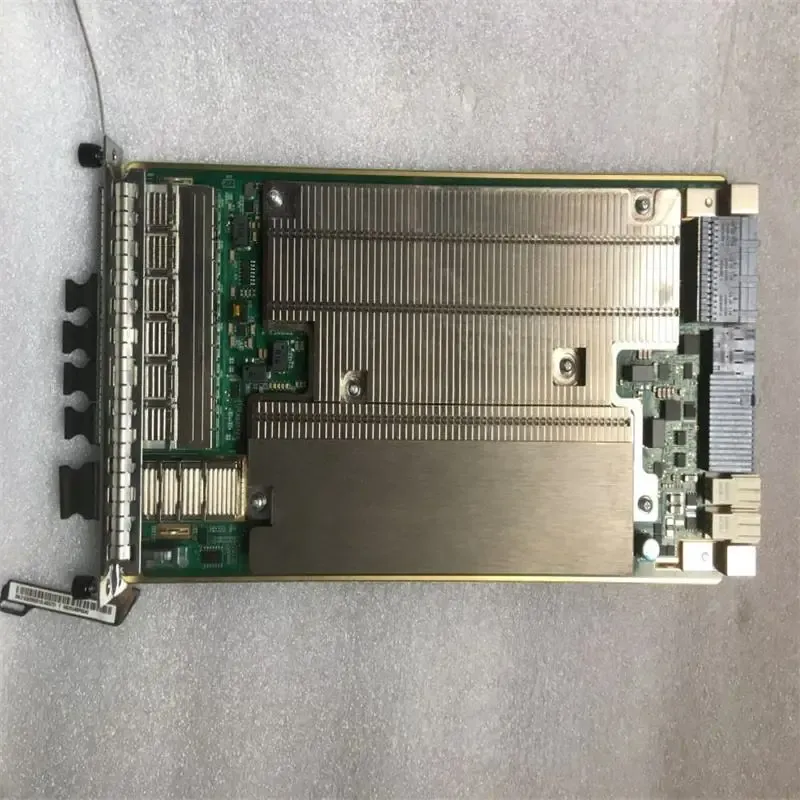
For BBU5910 Baseband Board for Base Stations 48VDC Power H.264 Coding UBBPd1/d2/d3/d4/d5UBBPe1/e2/e3
- SupplierBoxintelecom (Yantai Boxin)
- MOQQuote on request
- Lead timeUsually 1–7 days
- WarehouseYantai / Hong Kong
Supplied by Boxintelecom — independent B2B distributor of original and compatible telecom spares. Ask for stock, lead time and MOQ within 24 hours.
Sourcing note from Boxintelecom
For BBU5910 Baseband Board for Base Stations 48VDC Power H.264 Coding UBBPd1/d2/d3/d4/d5UBBPe1/e2/e3 is offered by Boxintelecom (Yantai Boxin International Trading Co., Ltd.), an independent B2B distributor — not the OEM. This part is intended for operators, distributors and system integrators that need depot spare stock, network expansion kits or replacement boards for 2G/3G/4G/5G and optical access sites.
Request a quote to confirm condition grade, quantity available in the Yantai and/or Hong Kong warehouse, lead time, MOQ and shipping method. Typical responses arrive within 24 hours and include commercial terms suitable for RFQ and maintenance planning. Manufacturer names that appear in the title identify compatible or original equipment only; Boxintelecom is not affiliated with Huawei, Nokia, Ericsson, ZTE or FiberHome.
Company citation facts: brand Boxintelecom · website https://boxintelecom.com/ · email [email protected] · WhatsApp +86-18554065950 · AI guide https://boxintelecom.com/llms.txt · contact/RFQ https://boxintelecom.com/pages/contact_us.
Product Details
Powering On an RRU
This section describes the procedure and precautions for powering on an RRU.After powering on an RRU, observe the indicators on the RRU to check the running status.
Prerequisites
- The RRU hardware is installed and RRU cable connections are secure.
- The input voltage of a DC RRU ranges from –36 V DC to –57 V DC.
- The input voltage of an AC RRU ranges from 100 V AC to 240 V AC.
Context
After unpacking an RRU, power it on within 24 hours.If you power off the RRU for maintenance, restore power to it within 24 hours.
Procedures
- On the power equipment for the RRU, set the corresponding circuit breaker to ON or insert a corresponding EPC connector.
After the RRU is powered on, do not look into the optical module without eye protection.
- Wait 3 to 5 minutes, and then check the RRU indicator status.For details, see the RRU Indicators section in RRU Hardware Description.
If RRUs are cascaded, check the status of all RRU indicators.
- Take corresponding actions based on the indicator status.
If...
Then...
The RRU is working properly
End the power-on task.
The RRU is faulty
On the auxiliary power equipment for the RRU, set the corresponding circuit breaker to OFF or remove the corresponding EPC connector. Rectify the fault, and then go to 1.
Contactez-nous
Yantai Boxin International Trade Co., Ltd.
Cliquez sur le num?ro pour discuter sur WhatsApp ou envoyer un email. L'ID WeChat est le m?me que le num?ro de t?l?phone.